

The right desk lamp makes work easier on your eyes and cleans up a messy desk. The wrong one adds glare, casts shadows, and eats desk space. This guide helps you pick by what matters: brightness, light color, adjustability, and how it fits your desk. Below you will find eight picks for different needs, plus how to place a lamp and the mistakes to avoid.
Our Top Picks at a Glance
| Product | Why we picked it | |
|---|---|---|
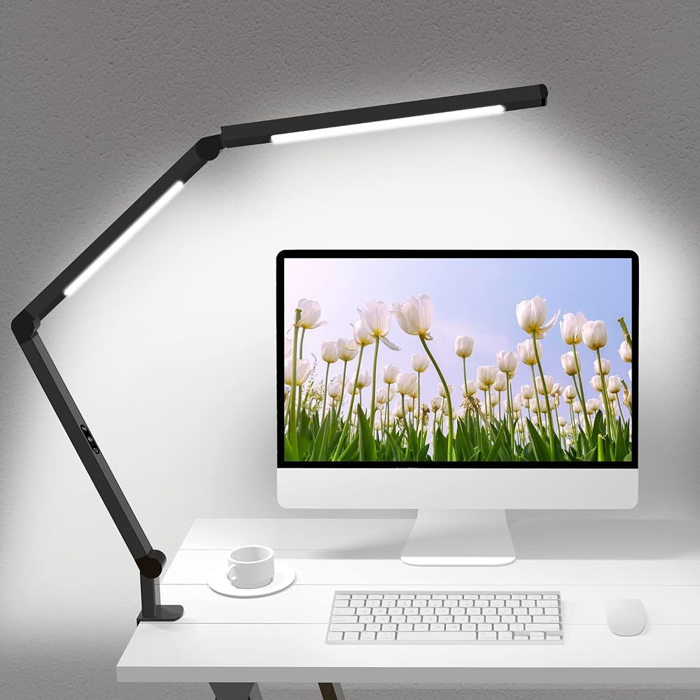 | LED Desk Lamp with Clamp and Dual Light Head Swing arm with a clip-on clamp | Shop on Amazon |
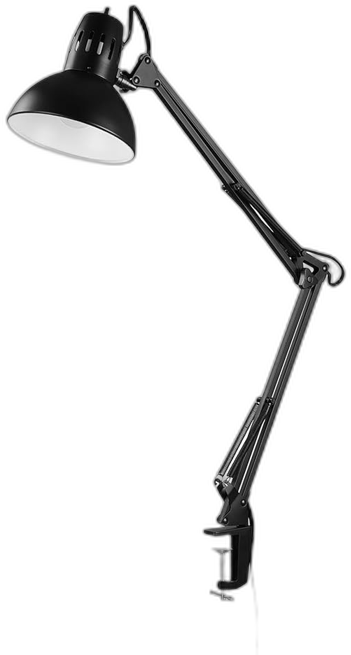 | Globe Electric Architect 32-Inch Swing-Arm Clamp Lamp 32-inch swing arm | Shop on Amazon |
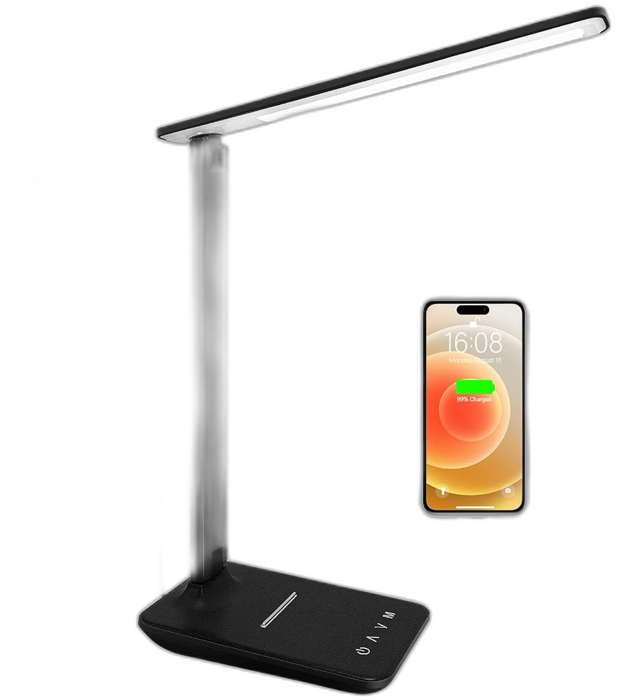 | LED Desk Lamp with Touch Control and USB Port 500 lumens listed | Shop on Amazon |
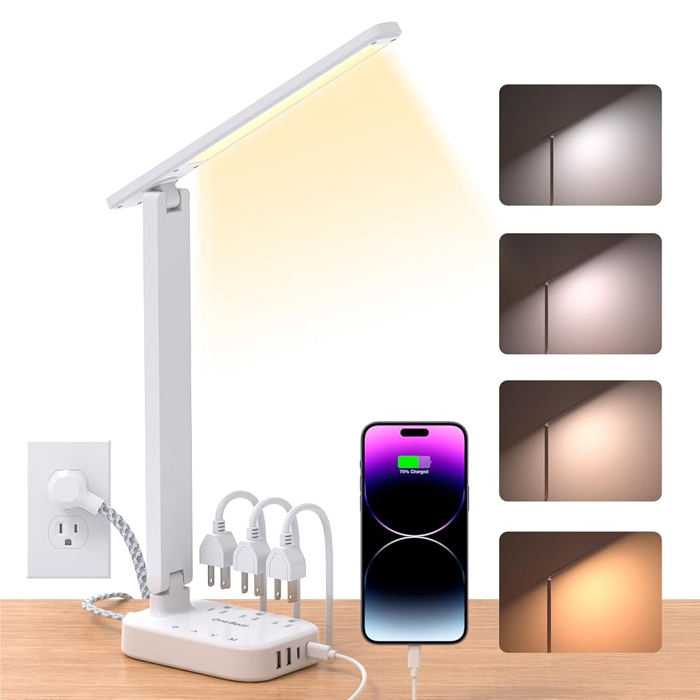 | LED Desk Lamp with Power Strip, 3 Outlets and 4 USB Ports 3 outlets and 4 USB ports (2 USB-C) | Shop on Amazon |
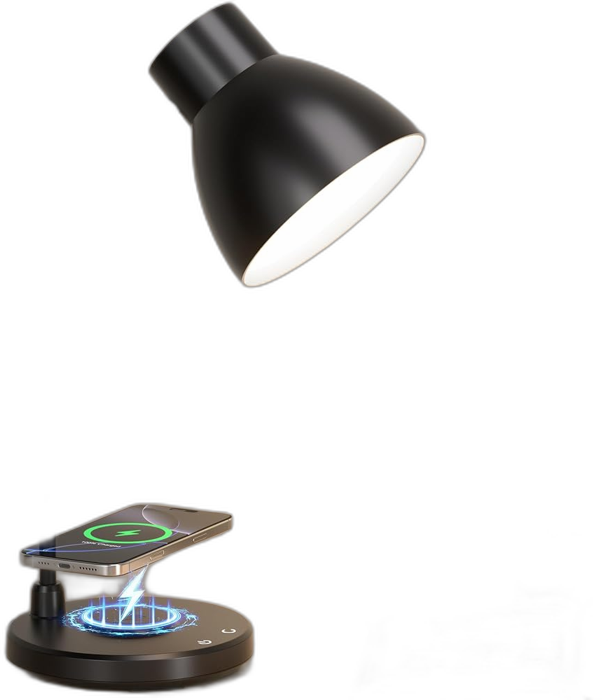 | LED Desk Lamp with Wireless Charger Wireless charging base | Shop on Amazon |
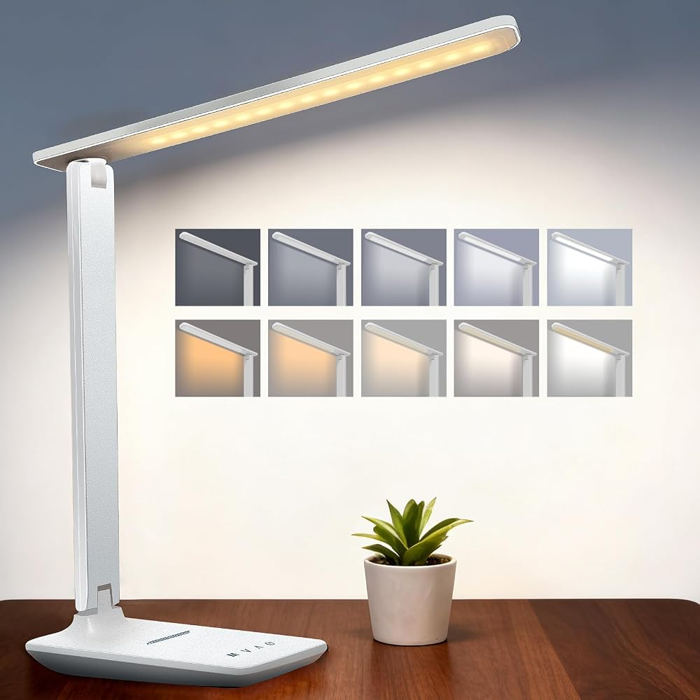 | Rechargeable Cordless LED Desk Lamp, 4000 mAh 4,000 mAh rechargeable battery | Shop on Amazon |
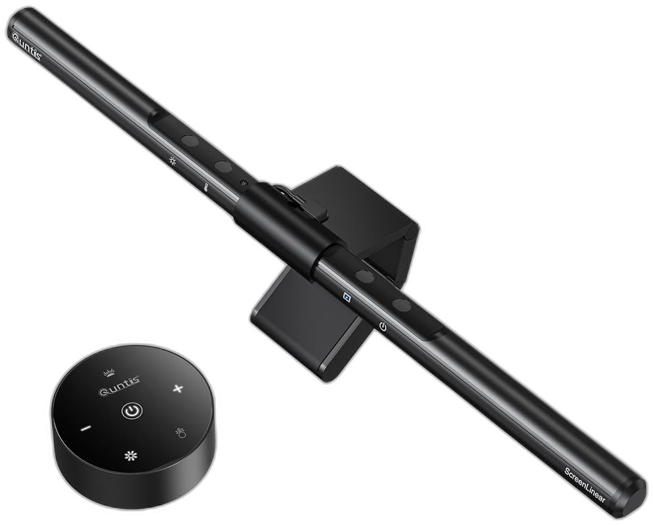 | Quntis Monitor Light Bar Sits on top of the monitor | Shop on Amazon |
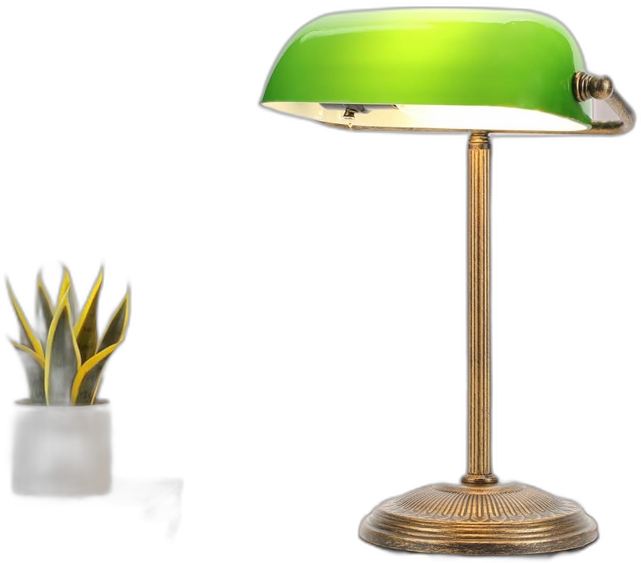 | Banker's Desk Lamp with Green Glass Shade Classic green glass shade | Shop on Amazon |
Quick Picks
| You want | Look at |
|---|---|
| A small desk and room to spare | A clamp-on lamp. It uses no desk space. |
| Adjustable brightness and color | A dimmable LED lamp with several color modes. |
| To charge your phone | A lamp with a USB port or a wireless charging pad. |
| A dorm or a crowded desk | A lamp with a built-in power strip. |
| No cord | A rechargeable, cordless lamp. |
| A screen-friendly light | A monitor light bar. |
| A classic look | A banker’s lamp or a classic swing-arm lamp. |
How to Choose a Desk Lamp
1. Brightness (Lumens)
Brightness is measured in lumens. The U.S. Department of Energy says to shop by lumens, not watts. A 450-lumen bulb replaces a 40-watt incandescent bulb, and an 800-lumen bulb replaces a 60-watt one (Department of Energy). A lamp with roughly 450 to 800 lumens suits most desk work, and a dimmer lets you adjust through the day. That range is our rule of thumb, not an official standard. Reading small print or detailed work may call for the bright end.
| Light output | Old incandescent | LED power |
|---|---|---|
| 450 lumens | 40 watts | 4.5 to 7 watts |
| 800 lumens | 60 watts | 5.9 to 10.5 watts |
| 1,100 lumens | 75 watts | 9.5 to 14 watts |
| 1,600 lumens | 100 watts | 10.5 to 18 watts |
Do not trust a big watt number on an LED lamp. A higher wattage does not mean a better lamp. Look for the lumen figure on the box or in the listing. One lamp we feature lists 500 lumens in its title.
2. Light Color (Kelvin)
Light color is measured in Kelvin (K). Lower numbers look warm and yellow. Higher numbers look white and bluish. The Department of Energy lists these common ranges:
| Name | Kelvin | Where it is used |
|---|---|---|
| Warm | 2,700 K | Homes, libraries, restaurants |
| Soft | 3,000 K | Homes, lobbies, restaurants |
| Neutral | 3,500 K | Offices and reception areas |
| Cool | 4,100 K | Offices, classrooms, showrooms |
For a desk, many people like a neutral to cool white for focus and a warmer setting in the evening. A lamp with several color modes lets you switch. Try to match the lamp to your room light. A very cool lamp in a warm room can look harsh.
3. Color Quality (CRI)
The color rendering index, or CRI, rates how true colors look under a light, on a scale of 0 to 100. ENERGY STAR-certified bulbs must have a CRI of 80 or higher (Department of Energy). If you draw, paint, sew, or match fabrics, a higher CRI helps. Many lamp listings do not state CRI, so look for it in the specs.
4. Adjustability
A lamp you cannot aim is a lamp you will fight. A swing arm or flexible neck lets you put light on your page and keep it off your screen. Look at the reach (how far the arm extends), the height, and whether the head tilts.
5. Controls
Touch controls are quick and clean. Check that they remember your last setting, and that the lowest brightness setting is low enough for evening use.
6. Footprint
A lamp with a heavy base can take up a lot of desk space. A clamp or a monitor light bar uses none. See our desk size guide to plan the layout.
7. Power and Extras
USB ports, wireless charging, and a built-in power strip are handy on a crowded desk. A rechargeable lamp moves anywhere, but you have to remember to charge it. Check that the lamp has a safety mark from a recognized lab, such as UL or ETL, on the listing or the label.
8. Style
A lamp is also decor. A banker’s lamp or a classic swing-arm lamp suits a traditional office. A slim modern lamp looks better in a minimal room. See our ideas for home office decor to match the lamp to the room.
Types of Desk Lamps Compared
| Type | Strengths | Limits |
|---|---|---|
| Clamp or swing arm | Saves desk space. Aims light where you need it. | Needs a desk edge to clamp to. Can be in the way on a thick desktop. |
| Gooseneck or flexible | Easy to bend and aim. Small base. | Can droop if the neck is weak. |
| Slim LED panel with touch controls | Even light. Modern look. Often has USB. | Light spreads wide, which can cause glare for some people. |
| Banker’s or classic lamp | Warm, decorative look. | Less adjustable. The light is more limited. |
| Rechargeable or cordless | Moves anywhere. No cord. | Needs charging. Run time depends on brightness. |
| Monitor light bar | No desk space used. Lights the desk without lighting the screen. | Only lights the area below the screen. |
| Lamp with a power strip | Adds outlets and USB ports. | A bigger base and more cords. |
Where to Put Your Desk Lamp
Placement matters as much as the lamp. OSHA advises using a desk lamp to light paper work while limiting direct brightness on the screen (OSHA). The American Academy of Ophthalmology’s EyeWiki also advises limiting glare, shading bright windows, and cutting down on lights that reflect on the screen (EyeWiki). Here is how to apply that:
See our guide to setting up a study desk for the full layout.
Our Picks
Best Clamp Lamp With Color Modes
A clamp lamp frees your desk. This one has a swing arm, a dual light head, and several color and brightness modes listed. It is a good all-round choice for a work or study desk, especially on a smaller desk.
Best Classic Swing-Arm Lamp
This classic architect-style lamp has a long swing arm and a clamp, and it comes with an LED bulb. It suits people who want a traditional look that is easy to aim. Because the bulb is a standard type, you can change it later.
Best Everyday Lamp With a USB Port
This touch-control lamp lists 500 lumens and a USB charging port. It is a simple, small lamp for charging a phone while you work.
Best for Crowded Desks and Dorms
A lamp with a built-in power strip adds outlets and USB ports without another device on the desk. This one lists three outlets and four USB ports, with two USB-C. It is a smart pick for a dorm or a desk with many gadgets.
Best With Wireless Charging
A lamp with a wireless charging pad in the base saves a cable. This one pairs a lamp with a wireless charging base. Check that your phone supports wireless charging, and that a case does not block it.
Best Cordless Lamp
A rechargeable lamp is great for a shelf, a nightstand, or a desk with no outlet nearby. This one lists a 4,000 mAh battery and touch dimming. Run time depends on the brightness setting, so use a lower level to stretch it.
Best Monitor Light Bar
A monitor light bar sits on top of your screen and lights your desk without lighting the screen. It uses no desk space. It works best for keyboard, notes, and paper work right under the monitor.
Best Classic Banker’s Lamp
A banker’s lamp is as much decor as it is a light. The green glass shade and classic shape suit a traditional office or a study. It is less adjustable than a swing-arm lamp, so it is best as a warm accent light.
Our Own Lamp Reviews
We have written about a few lamps in more detail. If one of these fits your style, read the full review first:
- BOHON LED desk lamp review: a flexible gooseneck lamp with charging.
- AXX small rechargeable desk lamp review: a tiny cordless light for kids and teens.
- WERFACTORY Tiffany lamp review: a decorative stained-glass style lamp.
- Shenmoyl tulip table lamp review: a decorative table lamp.
Which Lamp for Which Use?
| Use | What to look for |
|---|---|
| Studying and reading | Adjustable arm, dimmer, neutral to cool white. See our study desk guide. |
| Working at a computer | A monitor light bar or a lamp placed to the side. Avoid glare on the screen. |
| Video calls | A lamp in front of you and a bit to the side, so your face is lit and the screen is not glaring. |
| Crafts, drawing, and detail work | A bright lamp with a high CRI and a movable arm. |
| Reading in bed or on a nightstand | A warm, dimmable light with a low setting. Cordless is handy. |
| Decor first | A banker’s or classic lamp with a warm bulb. |
| Standing desk | A clamp lamp that moves with the desk, or a light bar. See standing desk benefits. |
Lamps and Eye Comfort
A lamp helps, but it does not do everything. The American Optometric Association suggests the 20-20-20 rule: every 20 minutes, look at something about 20 feet away for about 20 seconds (EyeWiki). EyeWiki also notes that sitting at about arm’s length from the screen and keeping the gaze slightly downward can reduce discomfort. Pair your lamp with these habits, and with good screen placement.
Be careful with health claims about lamp color. Marketing sometimes promises benefits from a color mode alone. Pick the color that feels comfortable, dim the lamp in the evening, and see an eye doctor if you have eye strain that does not go away.
Desk Lamp Features Explained
| Feature | What it means | Why it matters |
|---|---|---|
| Dimming levels | Steps or a smooth slider between bright and dim | Lets you lower the light in the evening and cut glare on a white page. |
| Color modes | Presets from warm to cool white | Switch between a cozy evening mode and a bright work mode. |
| Memory function | The lamp remembers your last setting | Saves you from resetting it every morning. |
| Auto-dimming sensor | The lamp adjusts to the light in the room | Handy, but check that you can turn it off if it keeps changing. |
| Timer or auto-off | Turns off after a set time | Helpful for bedside and reading lamps. |
| Flicker-free claim | A listing says the light does not visibly flicker | Some people are sensitive to flicker, especially at low dimming. Read reviews for complaints. |
| Integrated LED vs replaceable bulb | Whether the light source can be swapped | An integrated LED lasts a long time but the whole lamp goes if it fails. A replaceable bulb is easy to fix. |
| Clamp opening | How thick a desktop the clamp can grip | A thick desktop may not fit a standard clamp. |
What Affects How Much a Desk Lamp Costs
We do not list prices because they change, and Amazon rules do not let us show stale ones. In general, price follows a few things: the quality of the LEDs and the arm, the number of features (USB, wireless charging, outlets, color modes), the brand, and the build. A basic lamp with a dimmer and an adjustable head covers most needs. Extras are nice, but you can add them later with a charger or a power strip. Spend first on a lamp that aims well and dims smoothly.
Layer Your Lighting
A desk lamp is task lighting. Good workspaces use three layers:
If the room is dark and only the lamp is on, your eyes keep adjusting between the bright desk and the dark room. Turn on soft ambient light too. If your screen is the main light source, a monitor light bar or a low lamp to the side helps.
Lamp Tips by Desk Type
| Desk | Best approach |
|---|---|
| Small desk or dorm | A clamp lamp, a light bar, or a lamp with a built-in power strip. Keep the base small. |
| Large or L-shaped desk | Two lamps, one on each side, so no spot is in shadow. |
| Standing desk | A clamp lamp that moves with the desk. Leave enough cord slack so it does not pull when the desk rises. |
| Shared desk | A lamp with a memory function and a clear low setting, so each person can adjust it quickly. |
| Craft or hobby desk | A bright lamp with a high CRI and a long, movable arm. |
| Nightstand or reading nook | A cordless or warm lamp with a low setting. |
How to Test Your Lamp When It Arrives
A lamp can look great in a photo and feel wrong at your desk. Run through this short test in the first few days:
Lamp Placement for Common Setups
| Setup | Where the lamp goes |
|---|---|
| Right-handed writer, one screen | On the left side of the desk, angled toward the page, with the shade low. |
| Left-handed writer, one screen | On the right side of the desk, angled toward the page. |
| Two monitors | A clamp lamp at the outer edge of one side, or a light bar on each screen. Keep the beam off both screens. |
| Laptop on a stand | A lamp to the side of the stand, aimed at the notebook or keyboard. |
| Desk against a window | Put the lamp on the side away from the window, so the lamp and daylight come from different angles. |
| Desk against a wall | A clamp or wall-side lamp keeps the light close and saves space. |
| Reading or drawing flat on the desk | A bright lamp close to the work, angled so your hand does not shade it. |
A Simple Setup Checklist
Care and Safety
- Dust the lamp with a dry cloth. Unplug it first.
- Keep cords tidy. A cable tray under the desk keeps them off the floor.
- Do not cover a lamp with paper or cloth. Even LED lamps can get warm.
- Use the right bulb. Replaceable-bulb lamps list a maximum wattage, so check the label.
- Charge safely. Use the charger that came with a rechargeable lamp, and do not charge it on a pillow or bed.
- Plug in only what the lamp is made for. Do not overload a lamp’s built-in power strip.
Common Mistakes to Avoid
Frequently Asked Questions
What is the best desk lamp for a home office?
There is no single best lamp. A dimmable LED lamp with an adjustable arm and a neutral to cool white setting suits most desks. Pick a clamp lamp for a small desk, a light bar if you want no footprint, or a cordless lamp if you move around.
How many lumens should a desk lamp have?
A common range for desk work is about 450 to 800 lumens, similar to a 40 to 60 watt old-style bulb (Department of Energy conversion). Choose a lamp with a dimmer so you can adjust through the day.
Is warm or cool white better for a desk lamp?
Neutral to cool white (about 3,500 to 4,100 K) is common for office work, and warm white (2,700 to 3,000 K) is common in homes. A lamp with several color modes lets you switch. Pick what feels comfortable.
Where should I put my desk lamp?
To the side, so the light lands on your paper and not your screen. Many people put it on the side opposite their writing hand to avoid shadows. OSHA advises limiting direct brightness on the screen.
Are LED desk lamps bad for your eyes?
LED lamps are not bad on their own. Eye strain comes mostly from glare, long screen time, and poor setup. Use the 20-20-20 rule, avoid glare, and see an eye doctor if you have ongoing problems.
What is CRI and does it matter?
CRI, or color rendering index, rates how true colors look on a scale to 100. ENERGY STAR bulbs must be 80 or higher. It matters most for drawing, painting, sewing, and matching colors.
Do I need a desk lamp if I have overhead lighting?
Often yes. Overhead light can leave shadows on your work and may cause glare on your screen. A lamp adds light right where you need it.
Is a clamp lamp better than a base lamp?
A clamp lamp saves desk space and is easy to aim, but it needs a desk edge it can grip. A base lamp can go anywhere on the desk but takes up room.
What is a monitor light bar?
A slim light that sits on top of your monitor and lights your desk without shining on the screen. It uses no desk space and is good for keyboard and notes.
Are rechargeable desk lamps good?
They are handy when there is no outlet or you move around. Run time depends on the brightness, so use a lower setting to stretch it, and charge it regularly.
How do I choose a desk lamp for studying?
Choose an adjustable lamp with a dimmer and a neutral to cool white setting, and place it to the side. See our study desk setup guide for the full layout.
Should a desk lamp have a safety mark?
Yes. Look for a mark from a recognized lab such as UL or ETL on the label or the listing, and do not overload a lamp that has a built-in power strip.
Sources and Further Reading
- U.S. Department of Energy: Purchasing energy-efficient light bulbs
- OSHA: Workstation environment (lighting and glare)
- EyeWiki: Computer vision syndrome (digital eye strain)
Product features come from the listings and can change. Last checked October 2026.

Olivia Bennett is the Lead Content Editor at The Dailey House. She specializes in interior styling, bedroom aesthetics, and creating spaces that feel intentional without feeling out of reach. With over a decade of experience covering home interiors, Olivia believes every room should tell you something about the person who lives in it.