Choosing the right study desk size is crucial for long-term comfort, focus, and efficiency. This guide walks you through measuring your space, understanding ergonomic needs, and selecting a desk that fits your study habits and room layout.
Key Takeaways
- Desk width matters: A minimum of 48 inches (122 cm) gives enough room for a laptop, notebook, and supplies without feeling cramped.
- Depth affects posture: Aim for 24–30 inches (61–76 cm) to keep screens at eye level and avoid leaning forward.
- Height is personal: Standard desks are 29–30 inches (74–76 cm), but adjustable or custom heights improve ergonomics.
- Consider your tasks: Writers and artists need more surface area than students using just a laptop.
- Measure your space first: Leave at least 30 inches (76 cm) behind the desk for chair movement and airflow.
- Corner and wall-mounted desks save space: Ideal for small rooms but may limit storage and legroom.
- Test before you buy: Sit at a similar desk in-store or use cardboard mockups at home to simulate the setup.
Ultimate Study Desk Size Guide for Maximum Comfort and Productivity
Whether you’re a student, remote worker, or lifelong learner, your study desk is more than just a piece of furniture—it’s your command center. A poorly sized desk can lead to back pain, eye strain, and constant distractions. On the other hand, the right desk size boosts focus, supports good posture, and makes studying feel effortless.
In this guide, you’ll learn exactly how to choose the perfect study desk size based on your body, your tasks, and your room. We’ll cover width, depth, height, and layout tips—plus how to avoid common mistakes. By the end, you’ll know how to pick a desk that fits like it was made just for you.
Step 1: Understand Why Desk Size Matters
Visual guide about Ultimate Study Desk Size Guide for Maximum Comfort and Productivity
Image source: eu.evocdn.io
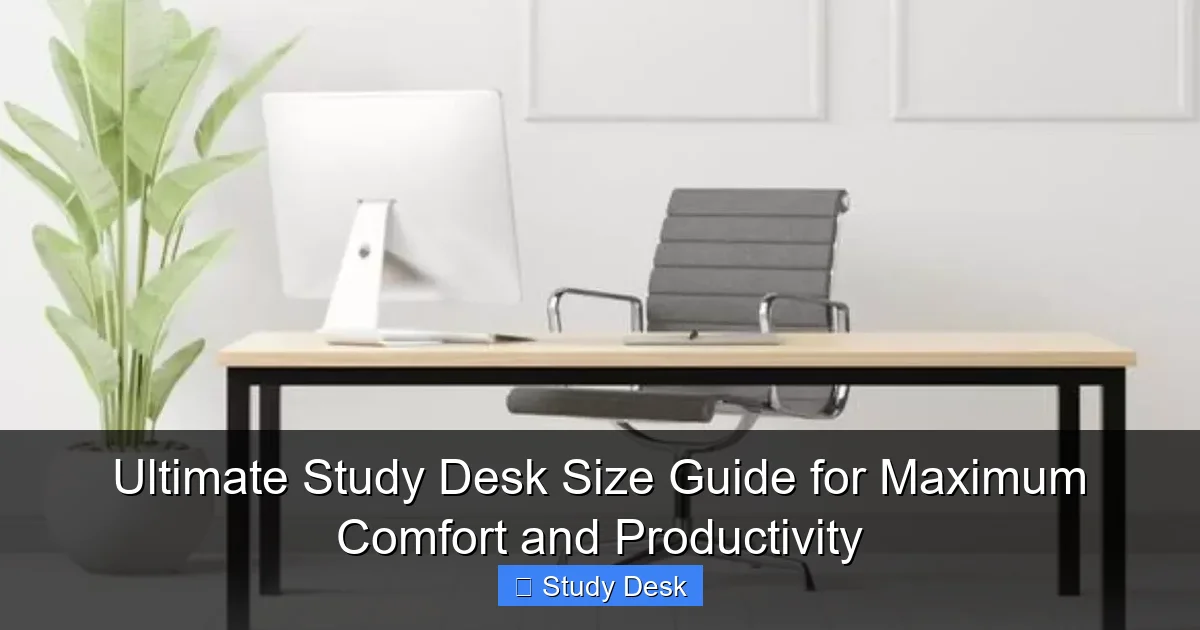
Before diving into measurements, it’s important to know why size isn’t just about space—it’s about health and performance.
A desk that’s too small forces you to crowd your materials, leading to clutter and poor posture. You might hunch over your laptop or stretch to reach your notebook. Over time, this causes neck and shoulder tension.
A desk that’s too large can be just as problematic. It may dominate your room, make it hard to reach supplies, or encourage disorganization. Plus, oversized desks often come with a bigger price tag and installation hassle.
The goal? A desk that’s just right—spacious enough to work comfortably, but compact enough to fit your lifestyle.
How Size Impacts Productivity
Research shows that physical comfort directly affects mental focus. A 2021 study by the University of Minnesota found that students using ergonomically optimized desks reported 27% higher concentration levels and 35% less fatigue during long study sessions.
When your desk supports your body and workflow, you spend less energy adjusting and more time learning.
Step 2: Measure Your Available Space
Visual guide about Ultimate Study Desk Size Guide for Maximum Comfort and Productivity
Image source: images.adsttc.com
Before buying anything, measure the area where your desk will go. Don’t just look at floor space—consider walls, doors, windows, and furniture.
Use a Tape Measure (or Your Phone)
Grab a tape measure and note the length and width of the space. If you don’t have one, many smartphone apps can estimate room dimensions using the camera.
Write down:
– Wall-to-wall distance
– Distance from the wall to any obstacles (like a radiator or bookshelf)
– Ceiling height (important for tall desks or shelving)
Leave Room to Move
A common mistake? Forgetting about chair space. You need at least 30 inches (76 cm) behind the desk for your chair to slide in and out comfortably. If the room is tight, consider a wall-mounted or corner desk.
Also, leave 18–24 inches (45–60 cm) on either side of the desk for walking or placing a lamp, printer, or storage bin.
Example: Small Bedroom Setup
Imagine a 10 ft x 12 ft (3 m x 3.6 m) bedroom. The bed takes up one wall, and there’s a closet on another. The best spot for a desk might be under a window.
Measure the wall: 8 feet (2.4 m) wide. Subtract 1 foot (30 cm) on each side for walking space. That leaves 6 feet (1.8 m) for the desk. A 60-inch (152 cm) desk would fit perfectly.
Step 3: Choose the Right Desk Width
Visual guide about Ultimate Study Desk Size Guide for Maximum Comfort and Productivity
Image source: i.pinimg.com
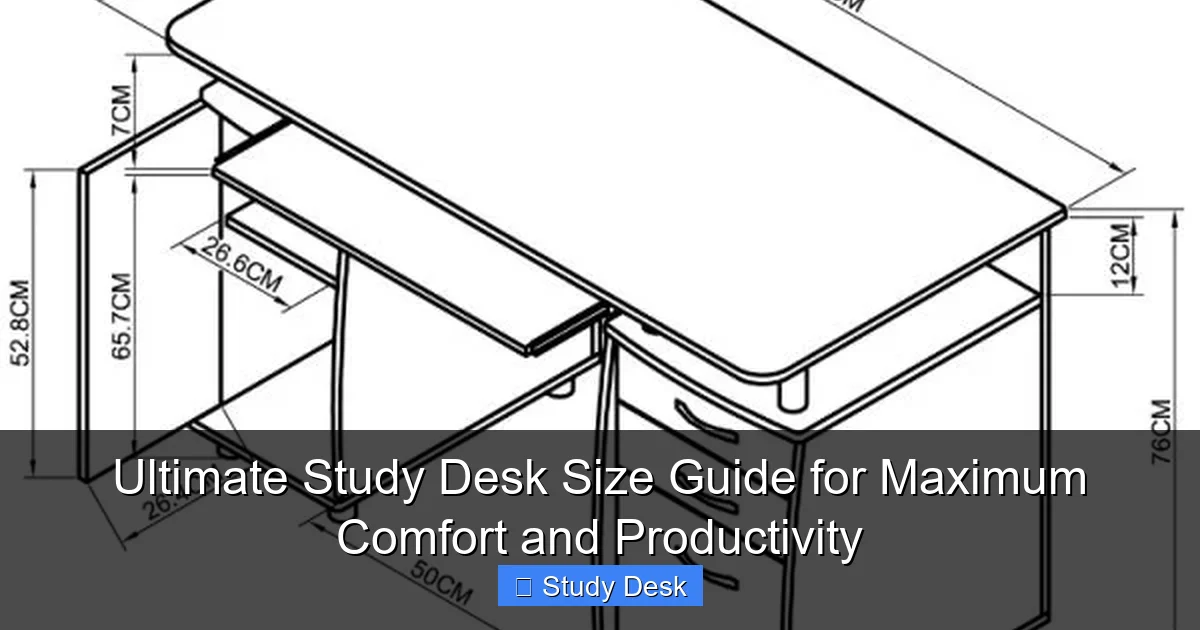
Width is how long the desk is from left to right. It determines how much gear you can spread out.
Minimum Width by User Type
- Laptop-only users: 42 inches (107 cm) is the bare minimum. This fits a laptop, mouse, and a small notebook.
- Students with textbooks and notebooks: 48–60 inches (122–152 cm) gives room for open books, a laptop, and writing space.
- Artists, designers, or writers: 60–72 inches (152–183 cm) allows for large sketchpads, multiple screens, or reference materials.
- Remote workers with dual monitors: 60 inches (152 cm) or more ensures monitors sit side by side without crowding.
Pro Tip: Think About Future Needs
Buy a desk that can grow with you. If you’re a student now but plan to freelance later, a 60-inch desk today might save you from upgrading in two years.
Compact Options for Small Spaces
If space is tight, consider:
– Wall-mounted desks: Fold down when not in use. Ideal for studios or kids’ rooms.
– Floating desks: Attached to the wall with brackets. No legs mean more floor space.
– Narrow desks (36–42 inches): Great for laptops, but limit multitasking.
Step 4: Pick the Ideal Desk Depth
Depth is how far the desk extends from the wall. It affects how close you sit to your screen and how much legroom you have.
Standard Depth Ranges
- 20–23 inches (51–58 cm): Too shallow for most adults. Only suitable for very small spaces or children.
- 24–27 inches (61–69 cm): The sweet spot for most users. Fits a laptop, keyboard, and mouse with room to spare.
- 28–30 inches (71–76 cm): Best for dual monitors, large notebooks, or drawing tablets. Gives extra reach space.
- 30+ inches (76+ cm): Overkill for most home setups. Can make it hard to reach the back of the desk.
Why Depth Affects Posture
If your desk is too shallow, your screen sits too close—less than 20 inches (50 cm) from your eyes. This strains your vision and forces you to lean forward.
If it’s too deep, you might stretch to reach your mouse or keyboard, causing shoulder tension.
Test It Out
Sit in your chair and place your laptop on a table. Measure the distance from your eyes to the screen. It should be 20–30 inches (50–76 cm). Now check if your elbows rest comfortably at 90 degrees when typing.
If your current setup feels off, adjust your desk depth accordingly.
Step 5: Get the Desk Height Right
Desk height is often overlooked, but it’s one of the most important factors for comfort.
Standard Desk Heights
Most desks are 29–30 inches (74–76 cm) tall. This works for people between 5’4″ and 5’10” (163–178 cm).
But if you’re shorter or taller, this can cause problems:
– Too high: Your arms float above the desk, straining shoulders.
– Too low: You hunch forward, hurting your back and neck.
How to Calculate Your Ideal Height
Use this formula:
Ideal desk height = Elbow height when seated + 1 inch (2.5 cm)
Here’s how:
1. Sit in your office chair with feet flat on the floor.
2. Bend your elbows to 90 degrees.
3. Measure from the floor to the bottom of your elbows.
4. Add 1 inch for keyboard thickness.
Example: If your elbow height is 27 inches (69 cm), your ideal desk height is 28 inches (71 cm).
Adjustable Desks: The Gold Standard
If you share the desk or want flexibility, consider a height-adjustable desk. These let you switch between sitting and standing, reducing fatigue and boosting circulation.
Electric models are convenient but pricier. Manual crank or pneumatic versions are more affordable.
DIY Fixes for Fixed Desks
– Too high? Use a footrest to support your legs and reduce pressure.
– Too low? Add risers under the legs or place the desk on sturdy books (temporarily).
Step 6: Match Desk Size to Your Study Habits
Not all study sessions are the same. Your desk should adapt to what you do.
Laptop-Only Work
If you mostly use a laptop, a 42–48 inch (107–122 cm) desk is enough. Add a laptop stand to raise the screen to eye level and use an external keyboard for better typing posture.
Note-Taking and Writing
Students who write by hand need space for notebooks, pens, and textbooks. A 60-inch (152 cm) desk with a 27-inch (69 cm) depth works well.
Digital Art or Design
Artists using tablets or multiple screens need wide, deep desks. A 72-inch (183 cm) desk with 30-inch (76 cm) depth gives room to spread out.
Exam Prep and Research
During intense study periods, you might have multiple books, highlighters, and flashcards open. A larger desk prevents clutter and keeps everything within reach.
Remote Learning with Kids
If your child studies at the same desk, consider a wider surface (54–60 inches) so they can work side by side. Add drawer organizers to keep supplies tidy.
Step 7: Consider Desk Shape and Layout
Size isn’t just about dimensions—it’s also about shape.
Rectangular Desks
The most common type. Great for wall placement and maximizing surface area. Best for most users.
L-Shaped Desks
Perfect for corner setups. Provides extra workspace and separates tasks (e.g., one side for writing, one for computer work). Requires at least 60 inches (152 cm) on each side.
Corner Desks
Compact and space-saving. Ideal for small rooms. But watch out for limited legroom and awkward angles.
Wall-Mounted and Floating Desks
Attach directly to the wall. Save floor space and look modern. Best for minimalists or tiny apartments.
Troubleshooting Common Layout Issues
- Problem: Desk blocks a window.
Solution: Use a narrow or floating desk. Or place it perpendicular to the window. - Problem: Chair hits the wall.
Solution: Move the desk forward or use a chair with a smaller base. - Problem: Cables are a mess.
Solution: Choose a desk with built-in cable management or add adhesive clips.
Step 8: Test Before You Buy
Never buy a desk without testing it—or at least simulating it.
Visit a Store
Sit at different desks. Check if your knees fit comfortably, if the surface feels sturdy, and if the height feels right.
Use a Cardboard Mockup
Cut a piece of cardboard to the desk’s dimensions and tape it to a table. Sit and work for 15 minutes. Notice any discomfort or space issues.
Read Reviews
Look for comments about size, stability, and assembly. Phrases like “too small for dual monitors” or “perfect for small rooms” are gold.
Check Return Policy
Even the best research can’t predict everything. Buy from a store with a generous return window—at least 30 days.
Final Tips for Long-Term Comfort
Once your desk is set up, maintain it for lasting productivity.
Keep It Organized
Use trays, drawers, or bins to group supplies. A clutter-free desk reduces mental clutter.
Adjust Your Chair
Your chair should support your lower back, with feet flat on the floor and thighs parallel to the ground.
Take Breaks
Even the best desk can’t prevent fatigue if you sit for hours. Stand up every 30–60 minutes. Stretch or walk around.
Upgrade Over Time
Add a monitor arm, ergonomic keyboard, or under-desk footrest as your needs evolve.
Conclusion
Choosing the right study desk size isn’t just about fitting furniture into a room—it’s about creating a space where you can thrive. By measuring your area, understanding your needs, and prioritizing ergonomics, you’ll find a desk that supports your body and boosts your focus.
Remember: a great study session starts with a great setup. Invest in the right size, and your mind—and body—will thank you.