A messy study desk can kill your focus and waste precious time. This guide shows you exactly how to organize your study desk in simple steps. You’ll learn to create zones, manage clutter, and set up a workspace that helps you study like a champion.
Key Takeaways
- Start with a clean slate: Remove everything from your desk before reorganizing to avoid just rearranging clutter.
- Create functional zones: Divide your study desk into work, reference, and storage areas for better workflow.
- Use vertical space: Add shelves, risers, and wall organizers to free up valuable desk surface area.
- Manage cables: Keep cords tidy with clips, ties, and proper power strip placement to maintain a clean look.
- Keep essentials accessible: Store frequently used items within arm’s reach and tuck away occasional supplies.
- Maintain daily: Spend 5 minutes each evening resetting your desk to prevent future mess buildup.
How to Organize a Study Desk and Study Like a Champion
Your study desk is your command center. It should help you focus, not fight for attention. A well-organized study desk can slash your study time in half. It can also boost your grades and reduce stress. This guide walks you through every step to transform your messy desk into a productivity powerhouse. You don’t need expensive tools or fancy gadgets. All you need is a plan and the willingness to change your habits.
By the end of this guide, you’ll have a clean, functional workspace that makes studying feel effortless. Let’s get started.
Step 1: Assess Your Current Study Desk Setup
Before you start moving things around, take a good hard look at what you’re working with. This step prevents you from making the same mistakes twice.
Visual guide about How to Organize a Study Desk and Study Like a Champion
Image source: i.ytimg.com
Clear the Clutter First
Pull everything out of your desk drawers and off the surface. Yes, everything. This includes papers, pens, books, chargers, and that mysterious sticky note collection. Place items on your bed or floor. This gives you a blank canvas to work with. You can’t organize clutter. You must first eliminate it.
Evaluate Your Space
Measure your desk dimensions. Note the width, depth, and height. Check for wall space above the desk. Look at nearby outlets and lighting sources. Consider how much natural light hits your desk during study hours. These details matter when planning your layout. A small desk needs different solutions than a large one.
Identify Your Needs
Ask yourself what you actually need on your study desk. Do you use a laptop or desktop computer? How many notebooks do you need daily? What subjects require special supplies? Write down your top five must-have items. This list becomes your organizing blueprint. Your needs dictate your setup, not the other way around.
Step 2: Gather Your Organizing Supplies
You don’t need to spend a fortune on organizers. Most solutions are cheap or free. Here’s what you’ll want to have ready.
Visual guide about How to Organize a Study Desk and Study Like a Champion
Image source: practicalperfectionut.com
Essential Supplies List
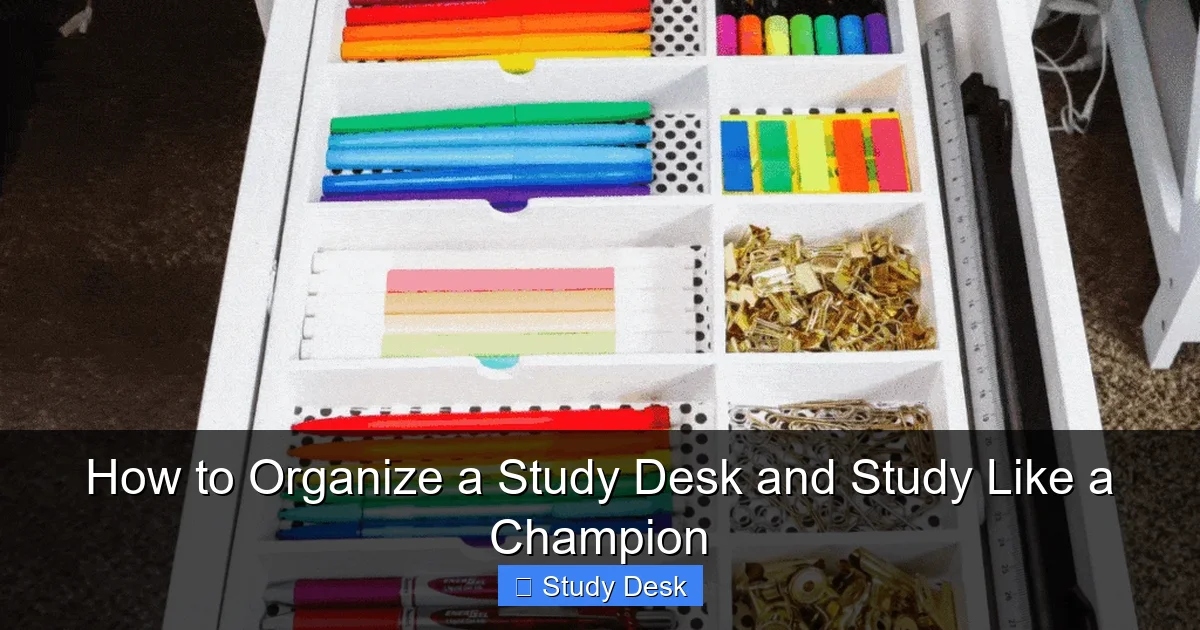
- Drawer dividers (ice cube trays work great)
- Pen holders or mugs
- File organizers for papers
- Desk lamp with adjustable arm
- Cable ties or clips
- Small storage bins with labels
- Desk pad or mouse pad
Budget-Friendly Options
Clean out kitchen containers for free drawer organizers. Use shoe boxes as desktop file holders. Wrap rubber bands around cords instead of buying velcro ties. Repurpose mason jars for pen storage. The goal is function, not perfection. Start with what you have before buying anything new.
Step 3: Clear and Clean Your Desk Completely
This is the most important step. A dirty desk harbors distractions and germs. Cleaning resets your mental state too.
Visual guide about How to Organize a Study Desk and Study Like a Champion
Image source: i.pinimg.com
Remove Everything
Take all items off your desk surface. Open every drawer and empty it. Check for hidden stacks of papers or lost supplies. Be ruthless. If you haven’t used something in three months, question its place on your study desk. This step reveals how much unnecessary stuff you’ve accumulated.
Clean the Surface
Wipe down your desk with disinfectant spray and a microfiber cloth. Clean your monitor screen with appropriate wipes. Dust off keyboard and mouse. Sweep crumbs from drawers. A clean desk feels fresh and inviting. It also gives you a psychological fresh start. You’re not just organizing; you’re creating a new habit space.
Sort Items Into Categories
Create three piles on your floor: Keep, Maybe, and Trash. Be honest about what you truly need. The Keep pile should be small. The Maybe pile is for items you’re unsure about. Set it aside for one month. If you don’t miss those items, donate them. The Trash pile is obvious. Recycle what you can. This sorting process prevents you from reorganizing junk.
Step 4: Create Zones on Your Study Desk
Zoning turns chaos into order. Each zone has a specific purpose. This makes your brain switch into study mode faster.
Primary Work Zone
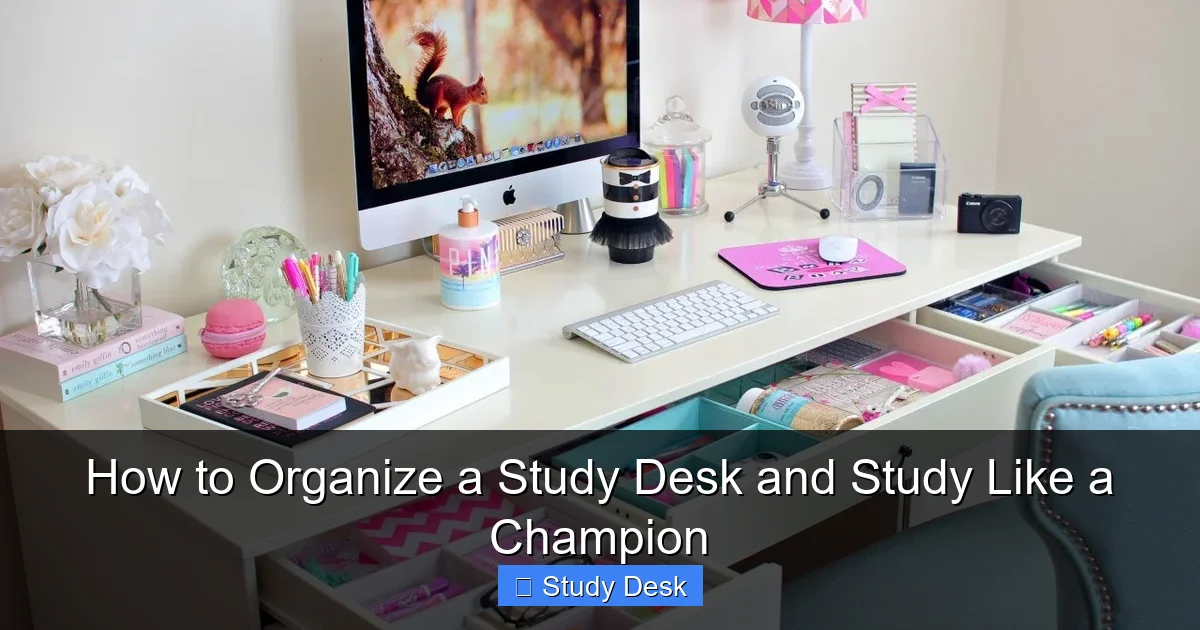
This is your prime real estate. It should take up the center of your desk. Place only your computer, desk pad, and one notebook here. Keep a single pen in a small holder. This zone is for active studying only. Nothing else belongs here. When you sit down, your eyes should see a clean, uncluttered space that says “work time.”
Reference Zone
Position this to the side of your work zone. Use a tiered organizer or small bookshelf. Store textbooks, dictionaries, or reference materials you use daily. Keep this zone neat. Stack books horizontally or vertically, but don’t let them lean or sprawl. A leaning tower of books screams chaos and creates visual stress.
Storage Zone
This lives in your desk drawers or a nearby cabinet. Store extra supplies like paper, printer ink, and backup pens here. Use drawer dividers to create sections. Label each section if you’re a visual person. The golden rule: if you have to open a drawer to get it, you won’t use it often. This keeps your surface clear for daily work.
Step 5: Organize Your Essentials
Essentials are items you touch every single study session. These deserve prime placement.
Pen and Paper Storage
Keep one pen and one pencil in a cup within your primary work zone. Store extra writing tools in a drawer organizer. For paper, use a vertical file holder on the edge of your desk. Load it with blank sheets and graph paper. Never stack loose papers on your desk surface. They become visual noise and disappear under other items.
Electronic Devices
Place your laptop or monitor in the center of your work zone. Elevate monitors to eye level using a riser or books. This prevents neck strain. Position your keyboard and mouse so your arms form a 90-degree angle. Keep your phone in a drawer or on silent face-down. If you use a tablet, get a stand that holds it at a comfortable viewing angle. This keeps it upright and ready.
Books and Notebooks
Store active notebooks in a small magazine holder on your desk edge. Use a bookshelf riser to create two levels of storage. Place frequently referenced textbooks on the top level. Store older notebooks in a filing cabinet or under your bed. Your study desk should only hold what you’re currently using. Past semester materials belong elsewhere.
Step 6: Maximize Vertical Space
Going vertical is the secret to a clean desk. It multiplies your workspace without buying a bigger desk.
Shelves and Risers
Install floating shelves above your desk. They hold books, supplies, and decor without taking desk space. Use a desk riser to lift your monitor and create storage underneath. Store a keyboard tray or extra supplies in this new space. A riser also makes your setup look more professional and intentional.
Wall Organizers
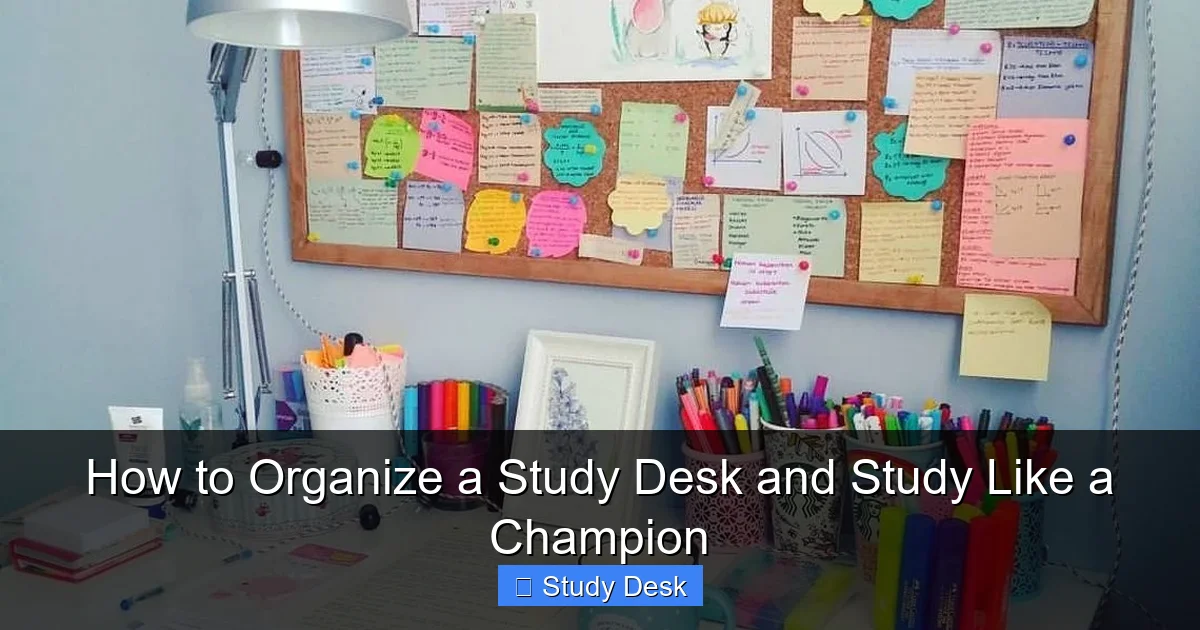
Mount a pegboard on the wall behind your desk. Hang headphones, keys, and small supplies with hooks. Use magnetic strips to hold paper clips and thumbtacks. Install a wall-mounted file holder for papers that need attention this week. The wall is free real estate. Use it wisely to keep your desk surface clear.
Desk Hutches
A desk hutch sits on top of your desk like a small bookshelf. It provides shelves and cubbies without taking floor space. Many hutches come with built-in lighting too. Look for one with a small drawer for tiny items. This turns a plain desk into a complete workstation. It’s perfect for small rooms where space is limited.
Step 7: Manage Cables and Tech
Tangled cables make even a clean desk look messy. Good cable management is non-negotiable.
Cable Management Solutions
Use adhesive cable clips to route cords along the back edge of your desk. Bundle excess cable length with velcro ties. Label each cord with tape so you know what’s what. Keep all cables on one side of your desk to avoid a spiderweb effect. This small effort makes a huge visual difference.
Power Strip Placement
Mount a power strip under your desk with adhesive strips. Plug all devices into it. Use a short extension cord to reach wall outlets if needed. Keep the power strip away from foot traffic to avoid accidental unplugs. This centralizes your power source and reduces floor clutter. Your feet will thank you.
Device Charging Station
Create a dedicated charging spot. Use a small tray or box on the far side of your desk. Place your phone, tablet, and headphones there overnight. Don’t leave charging cables draped across your work surface. A charging station keeps devices powered without disrupting your study zone. It also serves as a visual cue: when devices are charging, it’s time to focus.
Step 8: Add Personal Touches
Your study desk should inspire you, not bore you. Personal touches boost motivation and make you want to sit down and work.
Inspirational Elements
Place one motivational quote in a small frame. Choose something that resonates with your goals. A vision board pinned above your desk works too. But limit it to one item. Too many inspirational pieces become overwhelming. You want calm focus, not a circus of quotes competing for attention.
Greenery and Decor
Add one small plant like a succulent or snake plant. Plants improve air quality and reduce stress. Choose low-maintenance varieties that don’t need much light. A single photo of friends or family adds warmth. Avoid knick-knacks that collect dust. Every decorative item must earn its place by making you smile without distracting you.
Lighting Considerations
Position a desk lamp to eliminate screen glare. Choose warm white bulbs for evening studying. Natural light is best for daytime. If your desk faces a window, use a sheer curtain to reduce harsh shadows. Good lighting prevents eye strain and headaches. It also makes your space feel more inviting and professional.
Troubleshooting Common Issues
Every desk has problems. Here’s how to solve the most common ones.
Small Desk Solutions
If your desk is smaller than 48 inches wide, skip the monitor riser. Use wall shelves exclusively. Choose a laptop stand that folds flat when not in use. Get a rolling cart that fits under your desk for extra storage. Use the vertical space above and below your desk. Every inch counts when you’re working small.
Dealing with Distractions
Does your door open into your study area? Place a room divider or tall bookshelf to create a visual barrier. Is your phone a constant temptation? Keep it in a drawer with the sound off. Use website blockers during study sessions. Your desk should be a distraction-free zone. If noise bothers you, add a small white noise machine to mask background sounds.
Maintaining Organization
Schedule five minutes at the end of each study day to reset your desk. File papers, cap pens, and clear crumbs. Do a deeper clean every Sunday. Reassess your system monthly. Ask yourself what’s working and what’s not. Tweak as needed. Organization isn’t a one-time event. It’s a habit that pays off daily.
Final Thoughts
Organizing your study desk is an investment in your success. A clean, functional workspace removes friction from your study routine. You spend less time looking for things and more time learning. The best part? Your new setup works for you, not against you.
Start with one step today. Clear the clutter. Clean the surface. Create your zones. The rest will follow naturally. Your future champion self will thank you.