Position your desk facing natural light and away from distractions to immediately boost concentration and reduce eye strain. An ergonomic setup with your screen at eye level and feet flat creates comfort for longer, more productive study sessions. This foundational step ensures your space actively supports focus and learning efficiency.
Key Takeaways
- Choose a quiet, well-lit location: away from household distractions.
- Position monitor at eye level: to prevent neck strain.
- Keep only essential items: minimize desk clutter completely.
- Maximize natural light: supplement with a quality desk lamp.
- Organize all cables neatly: ensure safety and cleanliness.
- Add one motivational item: personalize without causing distraction.
- Ensure proper chair height: with adequate back support.
Why This Matters / Understanding the Problem
I learned this the hard way. My first study desk was a wobbly card table shoved in a corner. I lasted three weeks before my back started screaming. My eyes felt fried after every session. My focus was shot.
Sound familiar? You’re not alone. Most students try to study in setups that fight against them. They deal with neck pain from looking down. They battle distractions from a busy hallway. They squint through terrible lighting.
Here’s the truth. Your study space shapes your brain. A well-designed desk creates focus. It builds momentum. It makes studying feel easier. A bad setup does the opposite. It drains your energy before you even start.
That’s why knowing how to set up a study desk perfectly in 5 simple steps changes everything. This isn’t about fancy furniture. It’s about creating a space that works with your body and brain. It’s about removing friction so learning flows naturally.
Let’s fix this together.
What You Need
Don’t worry. You don’t need a huge budget. You need the right pieces. Here’s your shopping list.
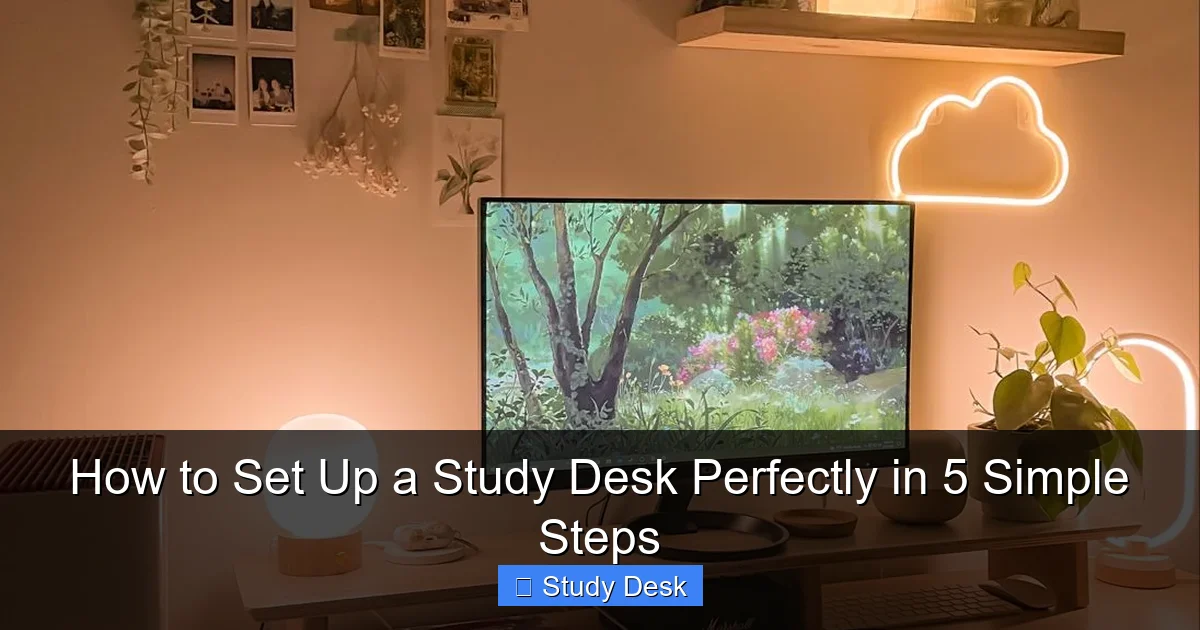
Visual guide about How to Set Up a Study Desk Perfectly in 5 Simple Steps
Image source: i.pinimg.com
Must-Haves (The Non-Negotiables)
- A desk surface (even a door on cinderblocks works)
- A chair that lets your feet touch the floor
- One task lamp (any lamp beats overhead lights)
- A flat surface for your books or laptop
Nice-to-Haves (The Game Changers)
- Monitor stand or stack of books
- Drawer organizer or small trays
- Desk pad or mouse pad
- Cable ties or binder clips
- One low-maintenance plant
Optional Upgrades (When You’re Ready)
- Ergonomic chair with lumbar support
- Adjustable desk lamp with warm/cool settings
- Under-desk drawer unit
- Wireless charger
- Small whiteboard for brainstorming
Start with the must-haves. Build from there. The goal is progress, not perfection.
Step-by-Step Guide to How to Set Up a Study Desk Perfectly in 5 Simple Steps
Ready to transform your space? These five steps work in any room. They work on any budget. I’ve tested them with students in dorm rooms, apartments, and tiny bedrooms. They never fail.

Visual guide about How to Set Up a Study Desk Perfectly in 5 Simple Steps
Image source: cdn.atomisystems.com
Follow this guide to learn exactly how to set up a study desk perfectly in 5 simple steps. Your future focused self will thank you.
Step 1: Choose the Right Location
Location is everything. I made my first mistake putting my desk in front of the window. I spent more time watching squirrels than studying. Don’t be like me.
Find a spot with natural light from your left side. This reduces shadows on your work. If you’re left-handed, use your right side. Avoid direct sunlight on your screen. It creates glare.
Stay away from high-traffic areas. The kitchen table seems convenient. But you’ll battle noise and interruptions. A corner of your bedroom works better. Even a closet converted to a desk counts.
Check your outlets. You need power for your lamp and devices. A spot near a wall outlet saves you from extension cord spaghetti. Trust me. Tangled cords equal a tangled mind.
Test the noise level. Sit in the spot for ten minutes. Listen. Can you hear the TV? The dishwasher? Your roommate’s phone calls? If yes, pick a new spot. Quiet is gold.
Pro Tip: I keep a small rug under my desk. It defines the space. It also kills echo. My concentration improved instantly.
Step 2: Pick Your Desk and Chair
Your desk and chair make or break your setup. I learned this after slouching at a coffee table for months. My shoulders were permanently tense.
Standard desk height is 29 to 30 inches. Most people fit this range. If you’re very tall or short, adjust accordingly. Your elbows should rest at 90 degrees when typing. Your thighs should be parallel to the floor.
Your feet must touch the ground flat. No dangling. This prevents leg fatigue. If your chair is too high, use a footrest. A stack of books works in a pinch.
For chairs, avoid the kitchen chair with no back support. You’ll slouch. You’ll ache. You’ll quit. A basic office chair from a thrift store beats a fancy dining chair. Look for adjustable height and a curved back.
Desk depth matters too. You need at least 24 inches front to back. This lets you pull your chair in and still have workspace. A desk that’s too shallow crowds your screen and your notes.
Warning: I tried a standing desk too early. My legs gave out after an hour. Start seated. Master that first. Then consider standing later.
Step 3: Organize Your Essentials
Clutter kills focus. I know. You want everything within reach. But a messy desk overloads your brain. It creates visual noise.
Start by removing everything from your desk. Yes, everything. Wipe the surface clean. This reset feels magical.
Now, create three zones. Zone one is your immediate reach. Keep only your current subject materials here. One notebook. One textbook. One pen. That’s it.
Zone two is secondary storage. This holds items you use daily but not constantly. Past notes. Reference books. Extra pens. Use a small tray or drawer unit for this.
Zone three is out of sight. Old assignments. Supplies you use weekly. Store these in a closet or under your bed. Getting them out of view reduces temptation to multitask.
Use drawer organizers. Dollar stores sell great plastic trays. They keep small items from becoming a jumbled mess. I label mine with washi tape and a marker. It takes two minutes. It saves hours of digging.
Pro Tip: Keep a small trash can under your desk. Toss scrap paper immediately. A clean surface stays clean longer.
Step 4: Set Up Your Technology
Tech is essential. But bad tech placement causes strain. I spent a year with my laptop screen at chin level. My neck still remembers.
Your monitor top should sit at or slightly below eye level. The top third of your screen is your natural sight line. Raise your laptop with books or a stand. I use three thick textbooks. It’s free and rock solid.
Your keyboard and mouse should let your wrists float. Keep them straight, not bent up or down. Your mouse should sit right next to your keyboard. Reaching across your body causes shoulder tension.
Lighting is critical. Your lamp should shine on your desk, not your screen. Position it on the opposite side of your writing hand. Righties put it on the left. Lefties on the right. This prevents shadows.
Use warm light for evening studying. Cool light for morning focus. Most LED bulbs are switchable now. It’s worth the small investment.
Cable management prevents chaos. I loop my charger cord around binder clips attached to the desk edge. It stays put. It doesn’t snake across my workspace. A power strip mounted under the desk keeps everything tidy.
Warning: Never use your phone as your main timer. You’ll end up doom-scrolling. Buy a $5 kitchen timer instead. Your willpower is precious.
Step 5: Personalize for Productivity
Your desk should feel like yours. But personalization has limits. I learned this after plastering my walls with twenty posters. I couldn’t focus on any of them.
Choose one personal item. One. A family photo. A motivational quote. A small trophy from fifth grade. Place it where you see it during breaks, not while working. This gives your eyes a rest. It also reminds you why you’re studying.
Add one plant. Plants reduce stress. They clean the air. A snake plant or pothos needs almost no care. I water mine once a month. It’s still alive. That’s saying something.
Keep your color scheme simple. Pick two or three colors. I chose blue and white. It feels calm. It doesn’t overwhelm. Too many colors create visual fatigue.
Rotate your inspiration monthly. Change the photo. Switch the quote. This keeps your space fresh without the chaos of constant rearranging. I do this on the first of each month. It takes five minutes.
Pro Tip: I keep a small candle on my desk. I don’t light it while studying. But the scent reminds me of quiet moments. It’s a sensory anchor for focus.
Pro Tips & Common Mistakes to Avoid
Let me save you some pain. These are the lessons I learned through trial and error. Some of them are embarrassing. All of them are true.
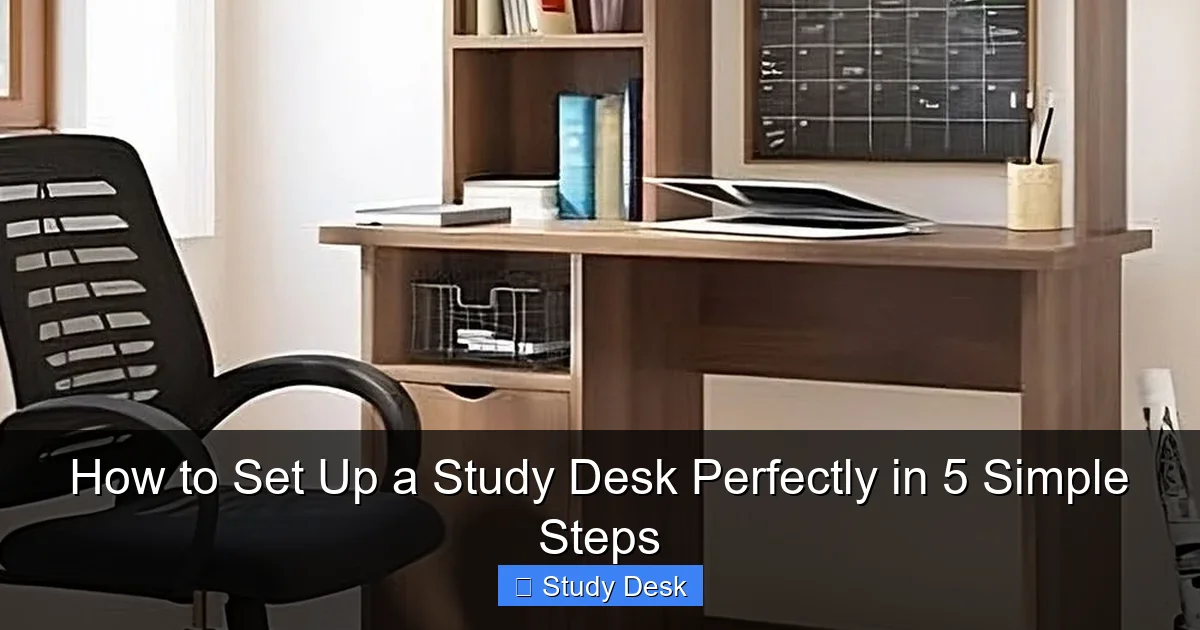
Visual guide about How to Set Up a Study Desk Perfectly in 5 Simple Steps
Image source: imgmedia.lbb.in
The “Too Much, Too Soon” Trap
Don’t buy every desk accessory you see. Start simple. Add items only when you notice a real need. I bought a fancy document holder. I used it once. Now it holds dust.
The “Perfect Spot” Myth
Your first location won’t be perfect. That’s okay. Move things after a week of use. You’ll discover what actually works through living in the space. I moved my desk three times before finding the sweet spot.
Ignoring Your Body’s Signals
Your body talks. Listen. If your shoulders hurt, your chair is wrong. If your eyes strain, your light is bad. Don’t power through pain. Adjust immediately. Small tweaks prevent big problems.
The Clutter Creep
Clutter returns like weeds. Fight it daily. Spend two minutes at the end of each study session resetting your desk. Wipe the surface. Put items back in their zones. This habit is non-negotiable.
Forgetting About Breaks
Your desk isn’t a prison. Look away every 25 minutes. Stand up. Stretch. Look out a window. I keep a sticky note on my monitor that says “Blink.” We forget to blink when staring at screens. Dry eyes are miserable.
My Biggest Lesson: I thought a perfect desk would make me study more. But I studied more when my desk was functional, not perfect. Don’t let perfection stop you from starting.
FAQs About How to Set Up a Study Desk Perfectly in 5 Simple Steps
You’ve got questions. I’ve got answers. These are the real questions my students ask me every semester.
Q: What if I have no natural light in my space?
A: That’s okay. Artificial light works fine. Just layer it. Use an overhead light plus a task lamp. This reduces shadows. Place your lamp where it won’t create screen glare. I’ve studied in basement rooms. Good lighting made all the difference.
Q: How much should I spend on my setup?
A: Start with $0. Use what you have. Then spend $20 on a basic lamp. Then $50 on a better chair if needed. You don’t need expensive furniture. You need smart placement. My best setup cost under $100 total. It felt like a palace.
Q: Can I use my dining table as a study desk?
A: You can. But it’s not ideal. Dining tables are too high for most chairs. You’ll hunch. The surface is often crowded with other stuff. If you must, clear one end completely. Use a dedicated chair, not a dining chair. And never study where you eat. Your brain will associate the table with food, not focus.
Q: How often should I reorganize my desk?
A: Do a quick reset daily. Two minutes. A deep reorganize monthly. This keeps systems working. I notice when my drawer gets messy. That’s my cue to spend ten minutes sorting it. Don’t wait for a crisis.
Q: What’s the single most important element of a study desk?
A: Your chair. Seriously. You can have a perfect desk, but if your chair hurts, you won’t study. Invest in comfort first. Everything else is decoration. I’d rather have a $200 chair and a $50 desk than the reverse.
Q: How do I keep my desk clean when I’m busy?
A: The two-minute rule. If it takes less than two minutes, do it now. Toss trash. Put books away. Wipe crumbs. Don’t save small tasks for later. They pile up into a big mess. I keep disinfecting wipes on my desk. A quick swipe takes 30 seconds.
Q: Do plants really help with studying?
A: Yes, but not how you think. They don’t magically boost your grades. They give your eyes a break. Looking at a green plant reduces eye strain. They also remind you to pause. I glance at my plant during breaks. It’s a tiny mindfulness moment. That’s the real benefit.
Final Thoughts
You now know exactly how to set up a study desk perfectly in 5 simple steps. This isn’t about creating a Pinterest-perfect space. It’s about building a functional home base for your learning.
Start today. Don’t wait for the weekend. Right now, clear one foot of space on any flat surface. Place your lamp there. Sit in a chair that lets your feet touch the floor. You’ve just completed step one.
Build from there. Add one element each day. By Friday, you’ll have a complete setup. Your future self will walk into that space and instantly shift into study mode. That’s the power of a well-designed desk.
Remember my story. I went from a wobbly card table to a space that supports my goals. You can too. The best time to start was yesterday. The second-best time is right now.
Go set up your desk. Then sit down and do one hour of focused work. That’s all it takes to build momentum. You’ve got this.